
Skip to Content
chevron-left chevron-right chevron-up chevron-right chevron-left arrow-back star phone quote checkbox-checked search wrench info shield play connection mobile coin-dollar spoon-knife ticket pushpin location gift fire feed bubbles home heart calendar price-tag credit-card clock envelop facebook instagram twitter youtube pinterest yelp google reddit linkedin envelope bbb pinterest homeadvisor angies

How to Choose the Best Fingerprint Smart Lock in 2026

A Fingerprint smart lock can make a daily routine feel effortless: touch the sensor, hear the bolt slide, and leave without searching for keys. But convenience is only one part of a dependable choice. MarketsandMarkets’ Smart Lock Market report projected growth to $4.4 billion by 2028, reflecting rising interest in connected access. Market growth is not proof that every product is secure, reliable, or worth its price. That distinction matters.

For a 2026 purchase, compare the details that shape real use: fingerprint recognition speed, backup entry options, battery alerts, app permissions, and what happens during a Wi-Fi outage. NIST’s Digital Identity Guidelines explain that biometrics should work with a physical authenticator, rather than being treated as a standalone secret. This is a useful security principle, though a residential lock is not the same as a regulated digital identity system. Check the manufacturer’s documentation, update policy, and warranty instead of relying on a dramatic claim such as “unhackable.” No lock deserves that label.

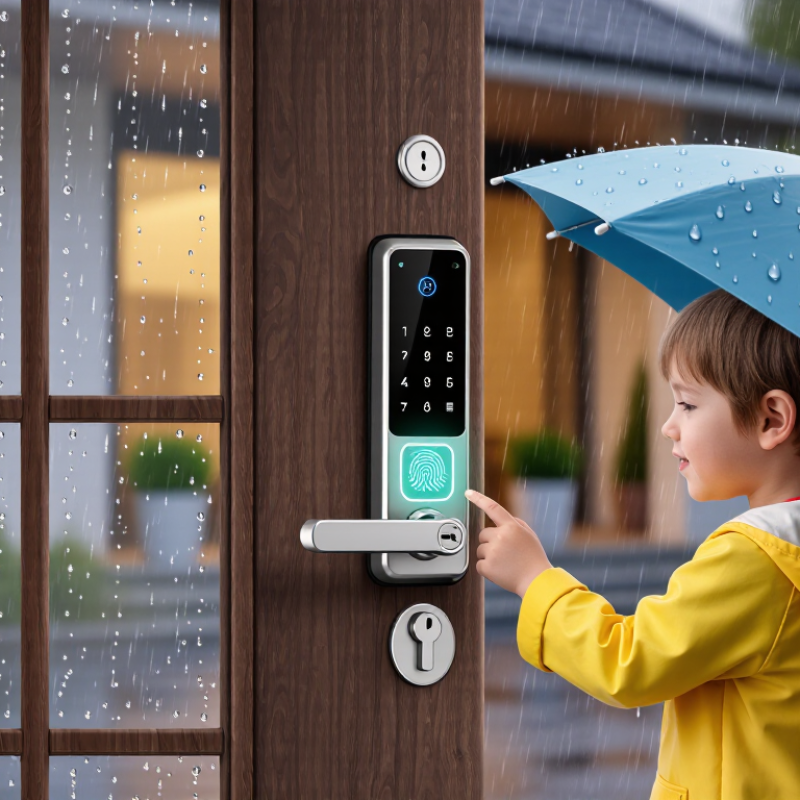
Think about the front door on a wet morning, a child with small fingers, or a battery warning you missed. Those are not edge cases for a household. They are ordinary moments. A strong shortlist should balance sensor performance, mechanical strength, privacy controls, and practical backup access. Even careful reviews have limits: weather, installation, and user habits can change results. The best choice is the one that fits your door and household—not simply the one with the longest feature list.
How to Choose the Best Fingerprint Smart Lock in 2026

Define Your Door, Access, and Security Requirements

Before comparing fingerprint smart locks in 2026, inspect your door. Measure its thickness, the backset, and the space around the handle. Check whether the existing deadbolt and latch align smoothly; a lock cannot fix a sticking door. Note whether the door faces rain or strong afternoon sun, since exposure can affect outdoor components. Small details matter.

Define who needs access and how they will enter. A fingerprint reader may be convenient when your hands are full, but wet or worn fingertips can sometimes fail to scan. Consider a keypad or physical key as a backup, and check how the lock handles temporary access for visitors. Ask what data it stores, whether access records can be reviewed, and how updates are delivered. No feature replaces careful setup.

Tips: Test the lock with every regular user before relying on it. Keep a backup entry method available. If the door needs force to latch, fix that first; I have found that alignment problems are easy to overlook during shopping. Decide, too, whether you are comfortable managing batteries and changing access permissions. A useful lock should fit your door, daily routine, and tolerance for maintenance.

Compare Fingerprint Lock Types and Authentication Options

When comparing fingerprint smart locks, look beyond the sensor’s advertised speed. Optical sensors read an image of the fingerprint, while capacitive sensors detect its ridges through electrical contact. Sensor placement matters too: a reader on the handle may feel natural, but a separate keypad can offer more room for different hand positions. Neither is magic. Dry skin, damp fingers, small fingers, or worn fingerprints may affect recognition. Test the reader with every household member before choosing, if possible. A quick showroom test can feel easy; rushed mornings are less tidy.

Authentication options shape how the lock works day to day. Fingerprint-only entry is convenient, but a PIN can help when a finger is injured or recognition fails. Some locks let you use an app, a physical key, or a temporary code for visitors. Check whether these are alternatives or can be combined, since that difference affects both convenience and security. Also confirm what happens when the batteries run low and whether the lock can operate without an internet connection. Read how fingerprint data is stored and deleted. Small details matter. A feature list may look impressive, yet the best fit depends on the door, the users, and the backup method you will actually keep available.

Assess Recognition Speed, Accuracy, and Spoof Resistance

A fingerprint lock should open quickly without making accuracy an afterthought. A smooth scan in a showroom proves little; try several fingers with clean, dry hands, then repeat with slightly damp or cool fingertips. Speed matters. Notice whether the reader responds consistently and whether the lock gives clear feedback after a failed scan. A delay of a second may feel minor, but repeated misreads become frustrating when you are carrying groceries.

Accuracy depends on more than the sensor’s headline specifications. Finger placement, skin condition, and how the print was enrolled can all affect results. Test the same finger from slightly different angles, and check whether another enrolled finger works reliably. Ask how the device handles failed attempts and whether it offers a secure backup method. A low rejection rate is useful, but no single number tells the whole story.

Spoof resistance deserves careful attention. Look for documented liveness checks, such as detecting signs of a real finger rather than relying only on a stored image. These safeguards can reduce risk, but no biometric system should be treated as impossible to fool. Review independent testing when available, and check how fingerprint data is stored and protected. I would not choose a lock based on a dramatic security claim alone. Real-world performance can vary, and that uncertainty is worth weighing.

How to Choose the Best Fingerprint Smart Lock in 2026 - Assess Recognition Speed, Accuracy, and Spoof Resistance

Evaluation dimension Suggested weight How to assess it What to look for Why it matters
Recognition speed 20% Time repeated unlock attempts from finger placement to confirmed unlocking. Compare the median and slower attempts, not just the fastest result. Consistent response across repeated tests; clear feedback when a scan fails. A single fast demonstration does not show how the lock performs in everyday use.
Recognition accuracy 25% Test enrolled users over multiple attempts and include different fingers and ordinary variations in finger placement. Few false rejections for enrolled users, without accepting an unregistered finger. False rejection rate (FRR) and false acceptance rate (FAR) describe different error types; ask how each was measured and under what test conditions.
Spoof resistance 25% Look for documented presentation-attack testing, including the attack types and materials tested. Check whether testing follows ISO/IEC 30107-3. Specific test results and methods, rather than an unsupported claim that the sensor is “unfakeable.” A fingerprint reader’s ability to match a print is not, by itself, proof that it can detect a fake presentation.
Performance in everyday conditions 10% Check the manufacturer’s documented operating limits and test with clean, dry fingers as well as realistically damp or dusty conditions where appropriate. Clear limits and predictable behavior; no promise of perfect recognition in every condition. Moisture, dirt, worn fingerprints, and sensor condition can affect capture and matching.
Fallback access and lockout behavior 10% Verify the backup key or other access method, low-battery warning, emergency power procedure, and behavior after repeated failed attempts. A usable, documented fallback that does not depend on fingerprint recognition or an active network connection. A biometric reader can fail or become unavailable; a lock should still have a practical access plan.
Biometric data handling 5% Review what biometric data is stored, where it is processed, how users are deleted, and whether remote access or sharing is involved. Clear privacy documentation and straightforward removal of stored fingerprints. Biometric data is sensitive; storage and deletion practices matter alongside recognition performance.
Total suggested weighting: 100% These weights are a practical comparison framework, not certified test results. For independent biometric performance claims, request the test method, sample conditions, and results; ISO/IEC 19795 addresses biometric performance testing.

Check Door Compatibility, Connectivity, Power, and Data Privacy

Before comparing features, measure the door. Check its thickness, deadbolt backset, borehole, and swing direction; a smart lock can be well reviewed and still not fit. If the door uses a multipoint mechanism, confirm compatibility with that exact setup. Keep the old key nearby during installation. Small details matter.

Connectivity affects daily use. Bluetooth may work nearby, while remote access usually needs Wi-Fi or a separate hub. Check whether codes still work during an internet outage, and whether the lock warns you before batteries run low. Battery-life estimates vary with traffic, signal strength, and temperature. A small annoyance: app alerts can arrive after someone has already left.

Treat access history and fingerprints as sensitive data. The 2024 Verizon Data Breach Investigations Report found that 68% of breaches involved a non-malicious human element, underscoring the importance of careful account and credential practices. NIST’s IoT cybersecurity baseline, NISTIR 8259A, recommends capabilities such as data protection, access control, and secure software updates. Look for clear update support, strong account protection, and an explanation of where biometric data is stored. If the privacy policy is vague, pause and ask why.

How to Choose the Best Fingerprint Smart Lock in 2026

Start with door compatibility, then check connectivity, power options, and how the lock handles biometric data.

Door fit: Common U.S. residential door thicknesses are 1⅜ inches for interior doors and 1¾ inches for exterior doors. Measure your door and confirm it falls within the lock’s stated compatibility range.

Before you buy: Confirm whether the lock uses Bluetooth, Wi-Fi, or a separate hub; check its battery type and low-power alerts; and review its encryption, biometric-data storage, and deletion policies.

Evaluate Installation, Reliability, Support, and Total Cost

A fingerprint lock earns its place at the door, not on a feature list. Measure the door’s thickness, backset, and clearance before ordering. Check whether the lock needs a new hole or only replaces the existing hardware. A professional installation may cost more, but a poorly aligned latch can drain batteries and frustrate daily use.

Test the reader with clean, dry fingers and slightly damp ones. Ask how many fingerprints it stores, how guest access is removed, and what happens when power fails. NIST’s IoT cybersecurity guidance highlights secure updates and device identification as important safeguards. The 2024 Data Breach Investigations Report found a human element in 68% of breaches across its dataset. That is not a smart-lock failure rate, but it is a reason to review shared access and account recovery. Small detail. Read the support policy before purchase: confirm replacement-part availability, response hours, and whether offline access remains possible.

Compare total cost over several years, not just the checkout price. Include batteries, optional hubs, subscription fees, installation, and a backup key or keypad. The FBI’s 2023 Crime in the United States report recorded 847,522 burglary offenses. That figure describes reported crime, not proof that fingerprint locks prevent break-ins. A cheaper model may still be the better fit. I would weigh its documented update support and reliable backup entry more heavily than a fast scan demo.

Article Source: